
MCP (AI Agents)
Postbox exposes an MCP (Model Context Protocol) server that lets AI agents interact with your forms and submissions directly. Requires Pro plan.
What agents can do
Section titled “What agents can do”Via MCP, an AI agent can:
- List your forms and their schemas
- Read and analyze submissions
- Translate submissions on demand
- Run AI spam analysis
- Generate smart replies
- Get dashboard statistics and submission summaries
Endpoint
Section titled “Endpoint”https://usepostbox.com/mcpTransport: Streamable HTTP. Authentication: OAuth 2.1 (Authorization Code + PKCE).
Connecting in Claude.ai / ChatGPT
Section titled “Connecting in Claude.ai / ChatGPT”- Open MCP client settings
- Add a new remote MCP server with URL:
https://usepostbox.com/mcp - The client redirects you to Postbox to authorize
- Sign in and approve - connected
Connecting in Claude Code, Cursor, or CLI tools
Section titled “Connecting in Claude Code, Cursor, or CLI tools”Add to your MCP configuration:
{ "mcpServers": { "postbox": { "type": "http", "url": "https://usepostbox.com/mcp" } }}The client handles the OAuth flow automatically on first connection.
Claude Desktop
Section titled “Claude Desktop”Add to ~/.config/claude-desktop/mcp.json:
{ "mcpServers": { "postbox": { "url": "https://usepostbox.com/mcp" } }}Claude will handle the OAuth flow automatically when you first use a Postbox tool.
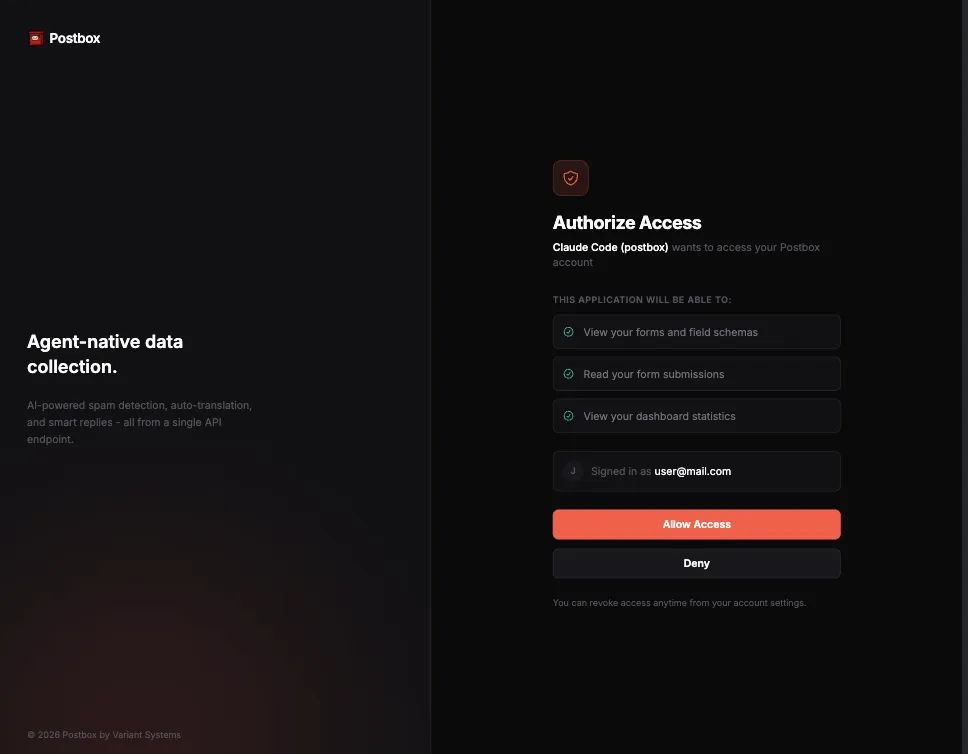
The auth page looks like this:
OpenCode
Section titled “OpenCode”Add to ~/.config/opencode/mcp.json:
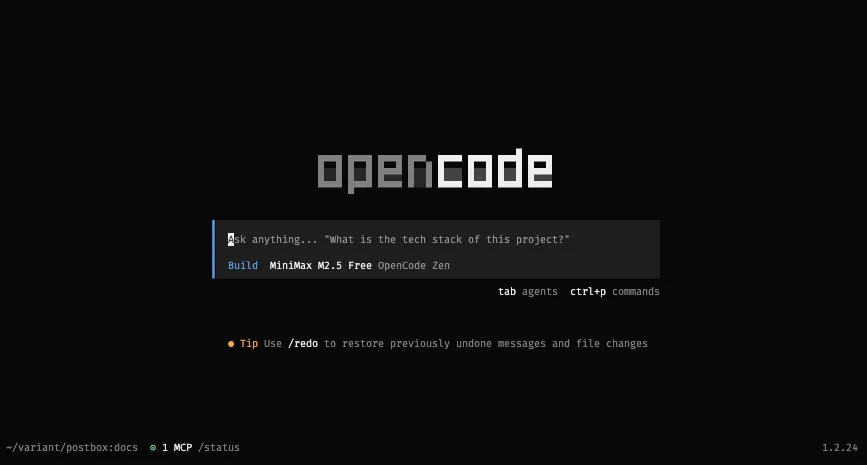
{ "mcpServers": { "postbox": { "url": "https://usepostbox.com/mcp" } }}OpenCode will handle the OAuth flow automatically when you first use a Postbox tool. And if it doesn’t do that, you can run this command:
opencode mcp auth postboxand then restart OpenCode. Your OpenCode will now have access to your forms, and will look like this (notice the MCP status):
Available tools
Section titled “Available tools”Once connected, the agent has access to these tools (all scoped to the authenticated user’s account):
| Tool | Description |
|---|---|
list_forms | List all your forms |
get_form | Get form details including field schema and AI settings |
list_submissions | List submissions with optional filtering (inbox, spam, all) |
get_submission | Get full details of a single submission |
get_dashboard_stats | Get overview statistics (total forms, submissions, spam blocked, AI replies) |
translate_submission | Translate a submission on demand (uses AI credits) |
analyze_spam | Run AI spam analysis on a submission (uses AI credits) |
draft_reply | Generate a reply using a knowledge base (uses AI credits) |
summarize_submissions | Get a summary of recent submissions with patterns and insights |
Why MCP?
Section titled “Why MCP?”MCP makes Postbox agent-native. Instead of an agent writing code to call your API, it uses structured tools with typed parameters. The agent understands your form schemas and can submit valid data, analyze trends, draft replies, and manage your data - all conversationally.